
Best dictation apps for Mac

For free dictation, use Apple Dictation. For privacy and offline use, pick Superwhisper or VoiceInk. For AI cleanup in the cloud, try Wispr Flow, Willow or Aqua Voice. To transcribe audio files, use MacWhisper.

Checked 25 November 2026 on each app’s own website. Prices in US dollars unless marked. We make Attiva, which is on this list. Sources

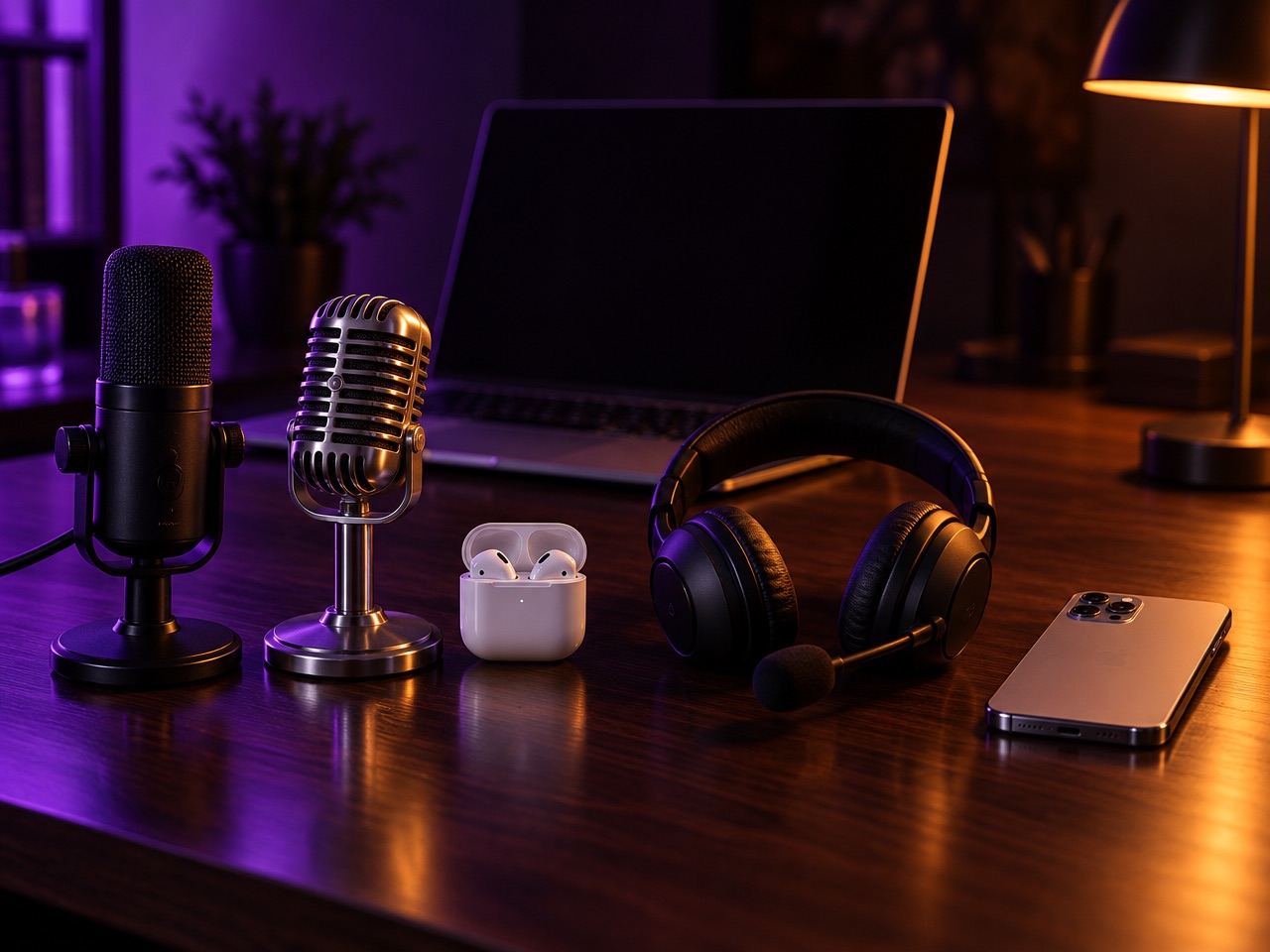
Several microphones side by side on a desk at night: a studio mic, a vintage desk mic, wireless earbuds, a headset and an iPhone, with a MacBook behind them.

Quick picks

Which dictation app is best for me?

It depends on what matters most to you: price, privacy, AI cleanup, files, or where you speak from.

At a glance

How do the Mac dictation apps compare?

AppWorks onSpeech is processedFree optionPaid
Apple DictationMac (built in)On your Mac or Apple’s servers, depending on Mac and languageFreeIncluded with macOS
Wispr FlowMac, Windows, iPhone, AndroidCloud onlyWeekly word limit$15 a month, or $12 a month paid yearly
SuperwhisperMac, Windows, iPhone, AndroidOn device or cloudUnlimited local dictation$8.49 a month, $84.99 a year, $249.99 once
VoiceInkMac (macOS 15+)On device, optional cloudFree trial; open source$25 once for 1 Mac
Aqua VoiceMac, Windows, iPhone, AndroidCloud onlyFree plan with a word limit$12 a month, or $10 a month paid yearly
Willow VoiceMac, Windows, iPhoneMostly cloud, with an offline modeFree plan with limitsPro about $12–15 a month
MacWhisperMacOn device, or cloud with your own keysFree tier€64 once for Pro
AttivaiPhone + Mac, togetherOn your iPhone7-day free trial$5.99 a month, $49.99 a year, or $12.99 once for the first 100

Swipe the table to see every column.

The apps

What is each dictation app good at?

Best free option

Apple Dictation

Built into macOS. Turn it on in System Settings → Keyboard → Dictation, and press the Microphone key in any text field.

  • Costs nothing and needs no install.
  • No length limit, but it stops after 30 seconds of silence.
  • Uses your Mac’s mic, so you speak at normal volume.
How to use voice to text on Mac →
Best for one app on every device

Wispr Flow

Cloud dictation that turns speech into clean text in any app, on Mac, Windows, iPhone and Android.

  • Removes filler words and formats your text.
  • Needs an internet connection. There is no offline mode.
  • $15 a month, or $12 a month paid yearly.
Best for privacy with a free plan

Superwhisper

Local Whisper models run on your Mac, so your voice can stay on your device. Cloud models are there when you want them.

  • Free plan with unlimited local dictation.
  • Works offline, in 100+ languages.
  • $8.49 a month, $84.99 a year, or $249.99 once.
Best to pay once

VoiceInk

An open-source Mac app with local models, a custom dictionary and AI cleanup. Cloud models are optional.

  • One-time price: $25 for 1 Mac, $39 for 2, $49 for 3.
  • Needs macOS 15 or later.
  • Source code on GitHub under GPL v3.
Best at names on screen

Aqua Voice

Cloud dictation that reads your screen to spell names right. Hold fn to talk in any app.

  • Select text and say the change to edit it.
  • Cloud only, with no offline mode.
  • $12 a month, or $10 a month paid yearly. Max plan costs more.
Best for polished text

Willow Voice

Dictation that removes filler words, formats your text and learns your writing style. Mac, Windows and iPhone.

  • Has a whisper mode and an offline mode.
  • Free plan with limits.
  • Pro costs about $12–15 a month.
Best for audio files

MacWhisper

Made for turning recordings, meetings, podcasts and videos into text. It can also dictate into any app.

  • Runs on your Mac, or in the cloud with your own API keys.
  • Free tier available.
  • Pro is a one-time €64.
Best to talk from your iPhone · We make this one

Attiva

Turns your iPhone into a mic and trackpad for your Mac. Hold it close and talk, or whisper, and the words appear where your cursor is.

  • Speech is recognized on your iPhone. Only text goes to the Mac, over Bluetooth.
  • No account. Needs an iPhone (iOS 18+) and a Mac (macOS 13+).
  • Works in any app where you can type.
How to use your iPhone as a mic and trackpad →

How we chose

How did we pick these apps?

We listed apps that dictate into any app on a Mac and are sold today. We checked each one’s platforms, where it processes speech, and its prices on its own website on 25 November 2026.

We make Attiva, so we put it last and kept its entry to facts. Prices and plans change often, so check the app’s site before you buy.

Dragon

What happened to Dragon for Mac?

Nuance stopped selling Dragon Professional Individual for Mac in October 2018. People who own version 6 can keep using it, but it gets no updates. Dragon is still sold for Windows.

If you used Dragon on a Mac, Apple Dictation is the free replacement. The apps above add AI cleanup, offline models or a better mic.

FAQ

More questions about Mac dictation apps

Apple Dictation is free and built into macOS. Superwhisper also has a free plan with unlimited dictation using local models.

Superwhisper and VoiceInk work offline with local models. MacWhisper runs locally too. Attiva needs no Wi-Fi, because your iPhone recognizes speech and sends text over Bluetooth. Wispr Flow and Aqua Voice need the internet.

Any app on this list types into the chat box. Pick by how you work: AI cleanup (Wispr Flow, Willow), privacy (Superwhisper, VoiceInk), or talking quietly into your iPhone and leaning back (Attiva).

No. Nuance discontinued Dragon for Mac in 2018. Dragon is still sold for Windows.

Sources

Apple Dictation, Wispr Flow pricing and data controls, Superwhisper plans, VoiceInk and its source code, Aqua Voice pricing, Willow pricing, MacWhisper, MacRumors on Dragon for Mac.

All product names are trademarks of their owners. Attiva is not connected to the other companies on this list. If something here is out of date, email [email protected].

Try Attiva free for 7 days.

Talk your prompts into your iPhone. Your words appear on your Mac.